Bioinformatics ReviewBioinformatics Review
Notification Show More
Font ResizerAa
  •  Home
  • Docking
  • MD Simulation
  • Tools
  • More Topics
    • Softwares
    • Sequence Analysis
    • Algorithms
    • Bioinformatics Programming
    • Bioinformatics Research Updates
    • Drug Discovery
    • Phylogenetics
    • Structural Bioinformatics
    • Editorials
    • Tips & Tricks
    • Bioinformatics News
    • Featured
    • Genomics
    • Bioinformatics Infographics
  • Community
    • BiR-Research Group
    • Community Q&A
    • Ask a question
    • Join Telegram Channel
    • Join Facebook Group
    • Join Reddit Group
    • Subscription Options
    • Become a Patron
    • Write for us
  • About Us
    • About BiR
    • BiR Scope
    • The Team
    • Guidelines for Research Collaboration
    • Feedback
    • Contact Us
    • Recent @ BiR
  • Subscription
  • Account
    • Visit Dashboard
    • Login
Font ResizerAa
Bioinformatics ReviewBioinformatics Review
Search
Have an existing account? Sign In
Follow US
DockingFeatured

Tutorial: Vina Output Analysis Using PyMol

Tariq Abdullah
Last updated: May 20, 2020 5:48 pm
Tariq Abdullah
Share
4 Min Read
SHARE

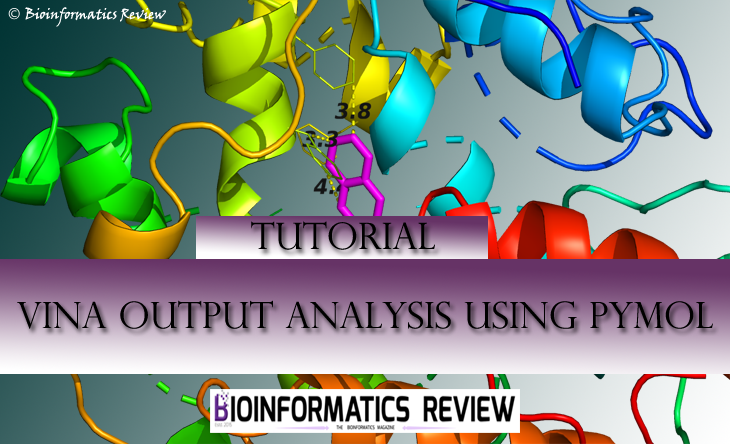
The analysis of Autodock Vina [1] results is a bit tricky in the sense of viewing all interactions and selecting the best pose. In our last video tutorial, we explained how to analyze docking results obtained from Vina using PyMol. This article is the written guide for the same.

We need a PDB file of protein and vina output file in .pdbqt format. Here, our protein file is 2bxa.pdb and the vina output file is cmpf.pdbqt. Let’s get started!

  1. Open PyMol then go to 'File' --> 'Open' --> then select the PDB file of your protein (here, 2bxa.pdb) --> click 'Open'. It will display the protein.
  2. Now open the vina output file. Again go to 'File' --> 'Open' --> then select the pdbqt file (here, cmpf.pdbqt) --> click 'Open'.

You can now see the protein and the ligand but there are no bondings/interactions between the two. Now, in order to see the interactions, follow these steps:

Look at the middle right side in PyMol window, there you can see some tabs named as ‘all’, ‘2bxa.pdb’, and ‘cmpf.pdbqt’, and some letters such as ‘A’ (Action), ‘S’ (Show), ‘H’ (Hide), and ‘L’ (Label) right in front of these tabs.

3. Go to the tab 'all' --> click 'A' (it will show you a drop-down menu) --> 'preset' --> 'ligand sites' --> 'cartoon'.

It will re-center your complex and show the interactions the protein is making with the ligand.

You can also measure the bond lengths following these steps:

  1. Go to 'Wizard' --> 'Measurement'.

It will ask to select the atoms.

2. Select two atoms from both the protein and the ligand showing interaction. It will display the length.

Similarly, you can label the residues as well by going to

'Wizard' --> 'Label'

Now, there comes the point where you need to choose the best docking pose. Well, the best pose is supposed to be the first docking pose generated by Vina which shows ‘zero’ RMSD value and best binding affinity. You may also need to make sure whether your ligand is interacting to all the binding/catalytic residues you defined for docking. Sometimes, your second pose may also show the required maximum interactions within the binding pocket.

This is the basic introductory tutorial, you can always explore more to represent the complex more beautifully. There are several ways to represent the protein and the ligand such as ribbon, surface, cartoon, and more. You can also show only binding pockets of the protein as per your requirements.

I hope this tutorial helps! For any query and suggestions, please write to us at info@bioinformaticsreview.com and tariq@bioinformaticsreview.com

Reference

  1. Trott, O., & Olson, A. J. (2010). AutoDock Vina: improving the speed and accuracy of docking with a new scoring function, efficient optimization, and multithreading. Journal of computational chemistry, 31(2), 455-461.

Share This Article
Facebook Copy Link Print
ByTariq Abdullah
Tariq is founder of Bioinformatics Review and Lead Developer at IQL Technologies. His areas of expertise include algorithm design, phylogenetics, MicroArray, Plant Systematics, and genome data analysis. If you have questions, reach out to him via his homepage.
Leave a Comment

Leave a Reply Cancel reply

You must be logged in to post a comment.

How to visualize a 3D structure using Py3Dmol?
Bioinformatics Programming Cheminformatics GitHub Python
ai tools vs traditional tools in bioinformatics
AI Tools vs Traditional Tools in Bioinformatics- Which one to select?
Algorithms Artificial Intelligence Machine Learning Software Tools
AI vs Physics in Molecular Docking
AI vs Physics in Molecular Docking: Towards Faster and More Accurate Pose Prediction
Artificial Intelligence Drug Discovery Machine Learning
10 years of Bioinformatics Review: From a Blog to a Bioinformatics Knowledge Hub!
Editorial

You Might Also Like

python scripts
DockingDrug DiscoverySoftwareTools

Prepare receptor and ligand files for docking using Python scripts

June 2, 2021
Docking

What values are considered as good or bad in computational docking?

November 21, 2022
DockingDrug DiscoverySoftwareTools

How to perform blind docking using AutoDock Vina?

May 20, 2020
coordinates in docking
Docking

What does the coordinates mean in docking?

November 9, 2020
Copyright 2024 IQL Technologies
  • Journal
  • Customer Support
  • Contact Us
  • FAQs
  • Terms of Use
  • Privacy Policy
  • Cookie Policy
  • Sitemap
Welcome Back!

Sign in to your account

Username or Email Address
Password

Lost your password?

Not a member? Sign Up