Bioinformatics ReviewBioinformatics Review
Notification Show More
Font ResizerAa
  •  Home
  • Docking
  • MD Simulation
  • Tools
  • More Topics
    • Softwares
    • Sequence Analysis
    • Algorithms
    • Bioinformatics Programming
    • Bioinformatics Research Updates
    • Drug Discovery
    • Phylogenetics
    • Structural Bioinformatics
    • Editorials
    • Tips & Tricks
    • Bioinformatics News
    • Featured
    • Genomics
    • Bioinformatics Infographics
  • Community
    • BiR-Research Group
    • Community Q&A
    • Ask a question
    • Join Telegram Channel
    • Join Facebook Group
    • Join Reddit Group
    • Subscription Options
    • Become a Patron
    • Write for us
  • About Us
    • About BiR
    • BiR Scope
    • The Team
    • Guidelines for Research Collaboration
    • Feedback
    • Contact Us
    • Recent @ BiR
  • Subscription
  • Account
    • Visit Dashboard
    • Login
Font ResizerAa
Bioinformatics ReviewBioinformatics Review
Search
Have an existing account? Sign In
Follow US
Molecular VisualizationSoftwareTools

Installing PyMol on Ubuntu

Tariq Abdullah
Last updated: November 29, 2021 6:54 pm
Tariq Abdullah
Share
1 Min Read
Installing Pymol on Ubuntu
SHARE

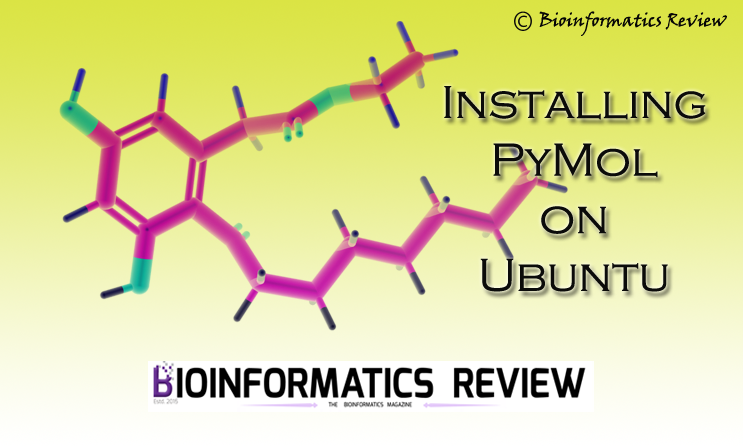
PyMol is a molecular visualization software that is freely available for education-use-only [1]. PyMol provides an interface for the visualization of small and macromolecules. Besides, it provides various other functionalities including format export options such as PDB and poses import and export. It is also most widely used in analyzing the docking output obtained from other software such as Autodock Vina. We have previously provided tutorials on docking result analysis using Pymol. In this article, we will install Pymol on Ubuntu.

Contents
  • 1. From repository
  • 2. From source
    • References

There are two ways to install PyMol on Ubuntu.

1. From repository

$ sudo apt-get install -y pymol

2. From source

Open the terminal and change to the directory where you want to install the software, say, Downloads.

$ cd Downloads

$ wget https://pymol.org/installers/PyMOL-2.3.4_121-Linux-x86_64-py37.tar.bz2

Now, untar the package.

$ tar xvf PyMOL-2.3.4_121-Linux-x86_64-py37.tar.bz2

Creating alias

Open the bashrc file and add the full path of the PyMol at the end of the file.

$ sudo gedit ~/.bashrc

$ alias pymol='/home/user/Downloads/pymol/pymol'

$ source ~/.bashrc

Now whenever you type $ pymol in the terminal, the interface will be displayed.


References

  1. The PyMOL Molecular Graphics System, Version 1.2r3pre, Schrödinger, LLC.

Share This Article
Facebook Copy Link Print
ByTariq Abdullah
Tariq is founder of Bioinformatics Review and Lead Developer at IQL Technologies. His areas of expertise include algorithm design, phylogenetics, MicroArray, Plant Systematics, and genome data analysis. If you have questions, reach out to him via his homepage.
Leave a Comment

Leave a Reply Cancel reply

You must be logged in to post a comment.

ai tools vs traditional tools in bioinformatics
AI Tools vs Traditional Tools in Bioinformatics- Which one to select?
Algorithms Artificial Intelligence Machine Learning Software Tools
AI vs Physics in Molecular Docking
AI vs Physics in Molecular Docking: Towards Faster and More Accurate Pose Prediction
Artificial Intelligence Drug Discovery Machine Learning
10 years of Bioinformatics Review: From a Blog to a Bioinformatics Knowledge Hub!
Editorial
Starting in Bioinformatics? Do This First!
Tips & Tricks

You Might Also Like

Cloud ComputingTools

Cl-Dash: speeding up cloud computing in bioinformatics

January 24, 2016
IonCRAM for Ion Torrent file compression
NGSTools

IonCRAM: New Tool for Ion Torrent Sequence Files Compression

September 28, 2020
installing pymol on mac os
SoftwareTools

[Tutorial] Installing Pymol on Mac OS.

May 12, 2022
Homology ModelingSoftwareStructural BioinformaticsStructure PredictionTools

Tutorial: Basic protein structure modeling using MODELLER

July 10, 2020
Copyright 2024 IQL Technologies
  • Journal
  • Customer Support
  • Contact Us
  • FAQs
  • Terms of Use
  • Privacy Policy
  • Cookie Policy
  • Sitemap
Welcome Back!

Sign in to your account

Username or Email Address
Password

Lost your password?

Not a member? Sign Up